
⚡ Time to Spend Your Rewards!
Ready to turn your points into savings? Applying your gathered reward points is a seamless process built right into your shopping cart. Follow the quick visual guide below to lower your order total instantly.
▸ Steps to Apply Reward Points
Step 1: Open Your Cart — Make sure you are logged into your registered Kaafmeem account. Once you have finished selecting your items, click on the shopping cart icon in the top header.

Step 2: Proceed to Checkout — Review the items inside your mini-cart tray, then click on the main checkout button to go to the payment validation screen.

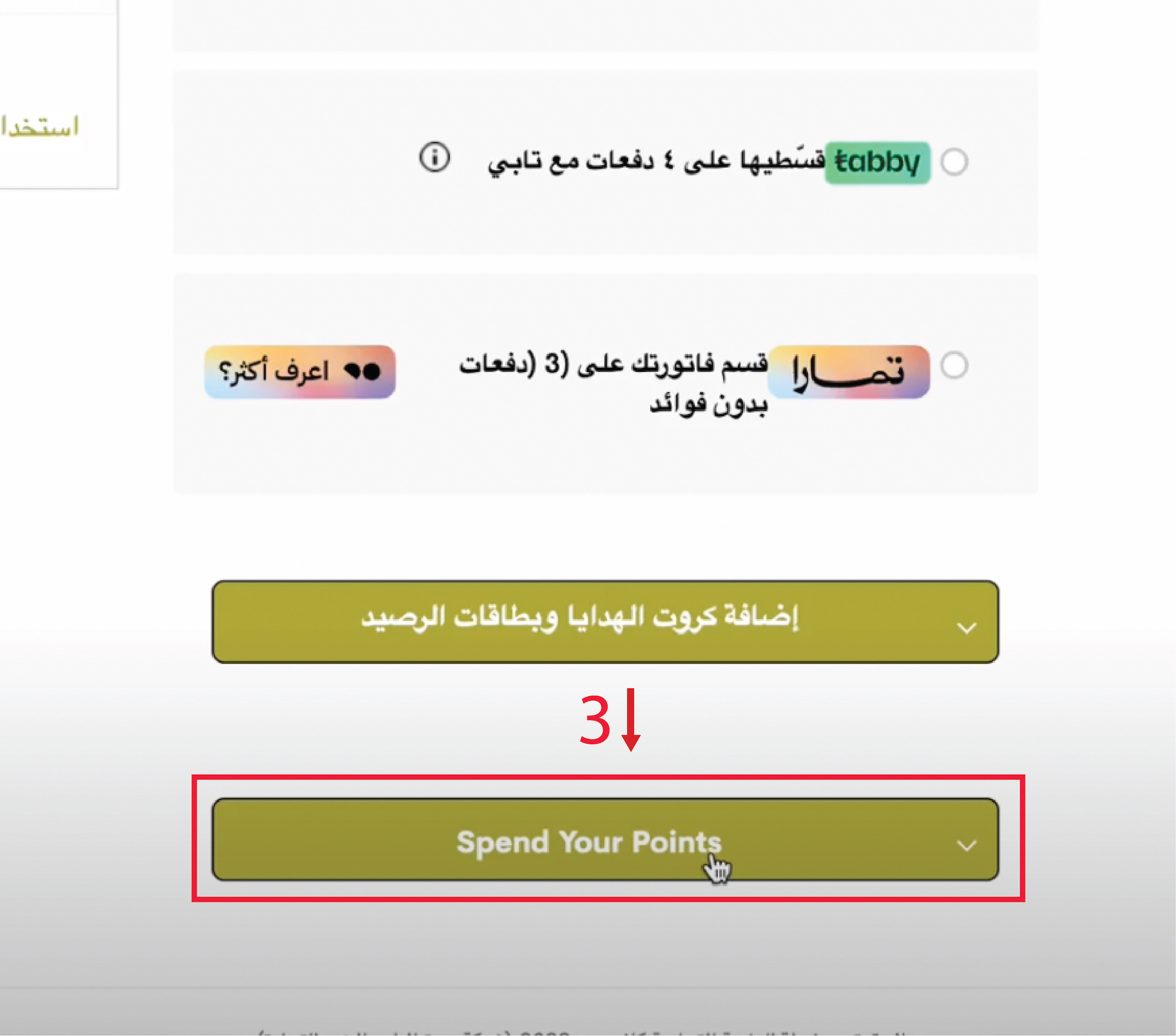
Step 3: Click "Spend Your Points" — Scroll down on the checkout options page beneath the shipping addresses. Find and click on the gold interactive bar labeled "Spend Your Points".
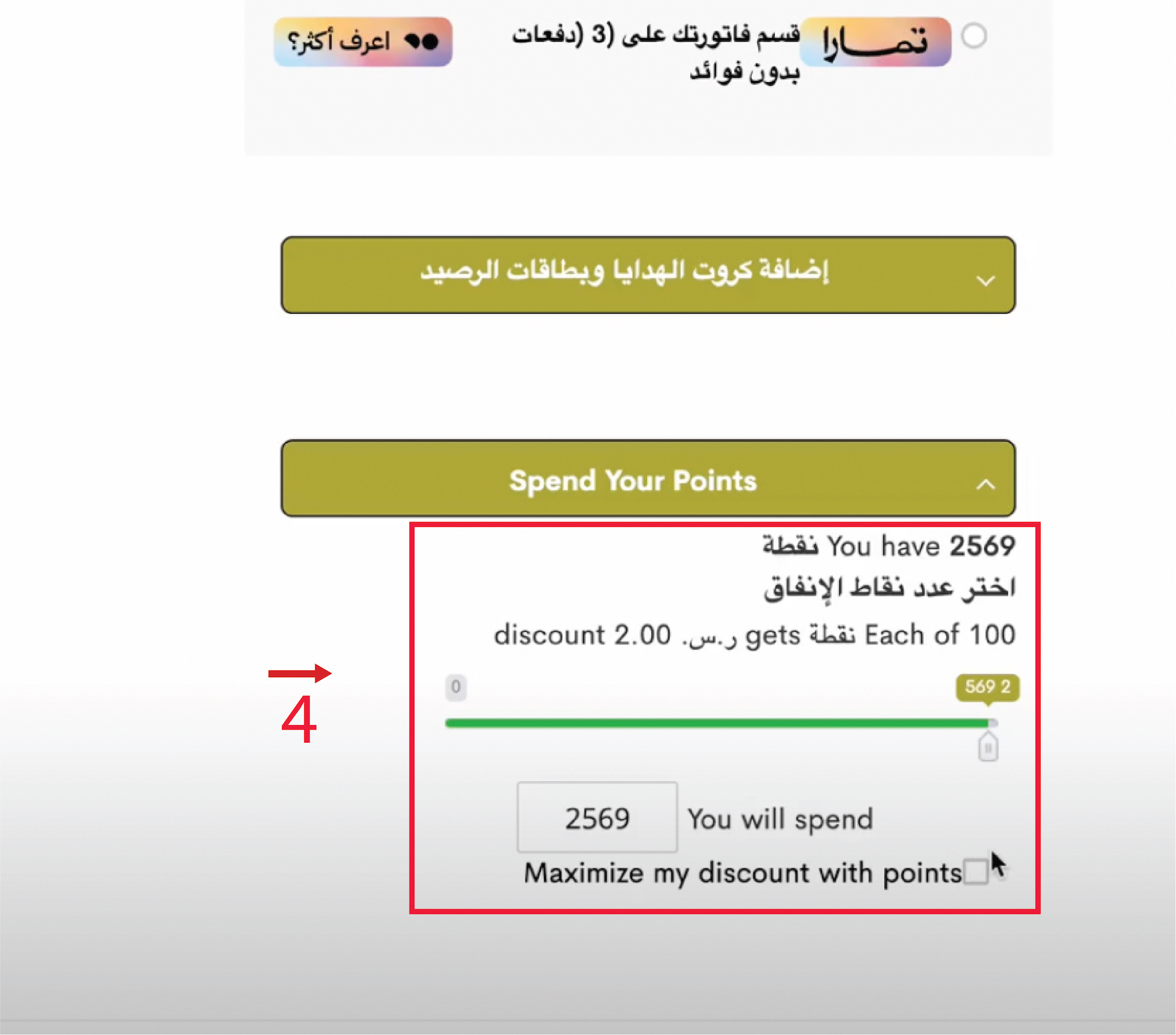
Step 4: Slide or Enter Your Balance — The point management module will open, showing your current balance. You can manually slide the bar, type the exact number of points you wish to use, or check the box to maximize your discount.
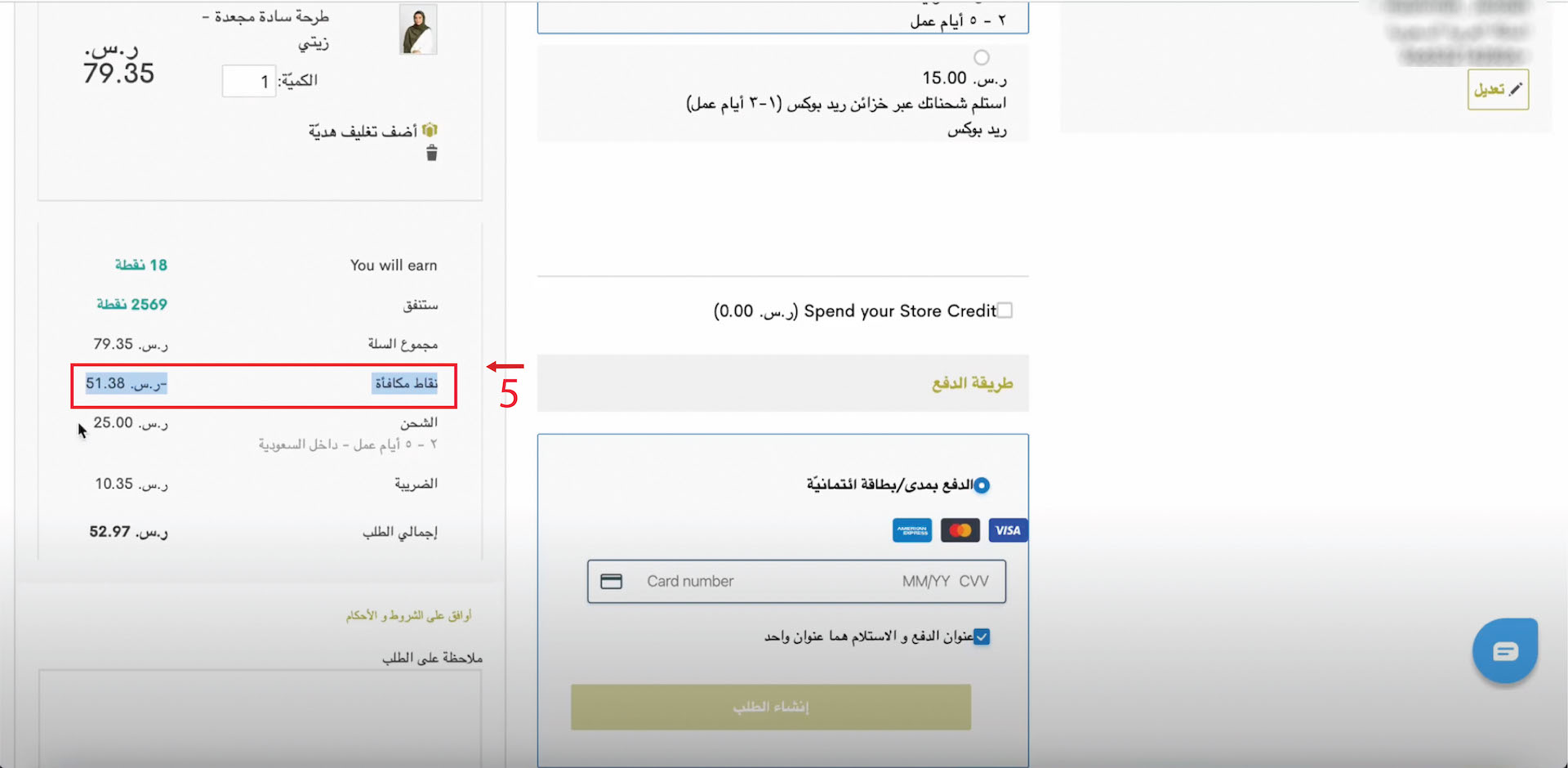
Step 5: Verify Your Savings — The total cost of your invoice will update dynamically. Your discount will be explicitly shown under the row marked with your points value. Complete your payment card fields to finalize the order.
- Points cannot be applied retroactively after an order has already been processed and placed. Make sure to apply your points balance inside the cart or checkout page before completing checkout.
- Remember that points can always be combined with active site-wide seasonal sales, giving you the best possible value on your contemporary style choices.